
Floop Documentation
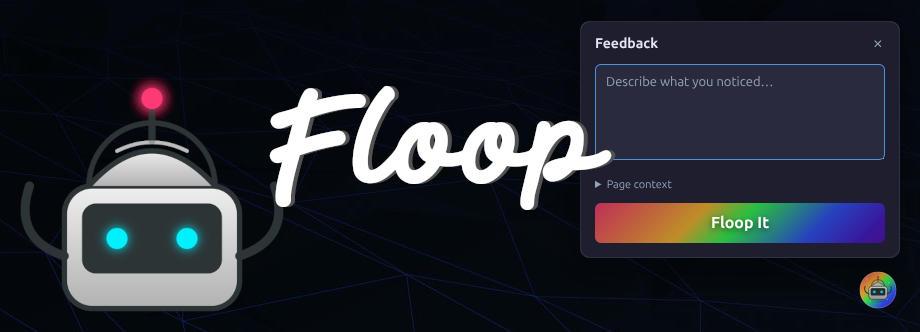
Feedback in. Fixes out. That's the floop.
Floop is a Laravel feedback widget that turns testers into co-pilots. The floating widget captures what needs changing along with every piece of context an AI coding agent needs to find and fix the code: the route, the controller, the Blade views, console errors, and a screenshot. No tickets. No databases. No waiting.
We built Floop for the way we ship work: testers and clients clicking through the internal tools we build, spotting issues, and handing them straight to the agent that will fix them.
Quick Start
Install the package
composer require igclabs/floop:@dev
That's it. No migrations, no config files, no build step. The widget appears automatically on every page in your local environment.
Install the agent skill
php artisan floop:install-skill
This gives your AI agent (Claude Code, Codex, OpenCode, etc.) a skill file that teaches it how to read and process Floop work orders.
Use it
- Browse your app
- Hit the floop button (or press
Ctrl+Shift+F) - Type what you want changed
- Tell your agent: "work through feedback"
The agent reads the work order, finds the code, makes the change, and closes the loop.
Examples
Example 1: Fix a button that's too small on mobile
You're testing on your phone and the submit button is barely tappable.
You type into the widget:
The submit button is too small on mobile. I can barely tap it.
Floop generates this work order in storage/app/feedback/pending/:
# 💬 Feedback: The submit button is too small on mobile

**Status:** 🟡 Pending
**Created:** 2026-02-26 14:30:00
**Type:** Feedback
**Priority:** 🔴 High

---

## Message

The submit button is too small on mobile. I can barely tap it.

---

## Page Context

| Property | Value |
|----------|-------|
| **URL** | `https://myapp.test/orders` |
| **Route** | `orders.index` |
| **Controller** | `App\Http\Controllers\OrderController@index` |
| **Method** | `GET` |
| **View** | `orders.index` |
| **User** | Joe (joe@example.com) |
| **Viewport** | 375x812 |

### Blade Views

- `layouts.app`
- `orders.index`
- `partials.header`
- `components.order-table`
Your agent reads this and knows exactly where to go: resources/views/orders/index.blade.php, the .btn-submit class, on a 375px viewport. It adds a responsive size bump and closes the loop.
Example 2: Target a specific element
You see a price showing the wrong format. Instead of describing it, you click the element directly.
You click the price, then type:
This should show two decimal places
The work order includes a Targeted Element section:
## Targeted Element

| Property | Value |
|----------|-------|
| **Selector** | `#product-card .price-display > span.amount` |
| **Tag** | `SPAN` |
| **Text** | $19.9 |
| **Position** | 220, 340 (80×24) |
The agent now has the exact CSS selector. No guesswork.
Example 3: Report a bug with a screenshot
The page layout breaks when there's no data. You click the camera icon to capture a screenshot, then describe the issue.
You type:
The empty state is broken: the table headers still show with no rows and there's no "no results" message
The work order includes:
## Screenshot

The screenshot PNG is saved alongside the .md file. Agents that support vision can see exactly what you see.
Example 4: Console errors auto-attach
You open a page and it looks broken. The widget detects JavaScript errors automatically.
You type:
This page isn't loading properly
The work order includes captured console errors:
## Console Errors

| # | Error |
|---|-------|
| 1 | `TypeError: Cannot read properties of undefined (reading 'map') at ProductList.vue:42` |
| 2 | `Failed to load resource: the server responded with a status of 404 (Not Found): /api/products` |
The agent sees the exact error, file, and line number, plus the failing API endpoint.
Example 5: Batch processing
You spend 10 minutes browsing the app and queue up several work orders while your agent is busy on something else. Then:
php artisan floop:list
+----+---------------------------------------------------+----------+----------+---------------------+
| #  | Summary                                           | Type     | Priority | Created             |
+----+---------------------------------------------------+----------+----------+---------------------+
| 1  | the-submit-button-is-too-small-on-mobile.md       | Feedback | High     | 2026-02-26 14:30:00 |
| 2  | this-should-show-two-decimal-places.md             | Bug      | Medium   | 2026-02-26 14:32:00 |
| 3  | add-a-search-box-to-the-users-table.md             | Task     | Medium   | 2026-02-26 14:35:00 |
| 4  | the-empty-state-is-broken.md                       | Bug      | High     | 2026-02-26 14:38:00 |
| 5  | change-the-header-color-to-match-the-brand.md      | Feedback | Low      | 2026-02-26 14:40:00 |
+----+---------------------------------------------------+----------+----------+---------------------+
Then tell your agent:
Work through the feedback
It processes each one in order, reading, fixing, and closing the loop. You get a summary at the end.
Example 6: The agent closes the loop
After making a change, the agent runs:
php artisan floop:action the-submit-button-is-too-small-on-mobile.md \
  --note="Increased button min-height to 48px and added touch-friendly padding on viewports under 640px in orders/index.blade.php"
The file moves from pending/ to actioned/. An Agent Notes section is appended to the work order:
## Agent Notes

Increased button min-height to 48px and added touch-friendly padding
on viewports under 640px in orders/index.blade.php
Next time you browse that page, verify the fix. If it's not right, submit another work order. The loop continues.
Where Work Orders Live
storage/app/feedback/
├── pending/           ← open work orders (what your agent reads)
│   ├── fix-the-login-button.md
│   ├── fix-the-login-button.png     ← screenshot companion
│   └── add-search-to-users.md
└── actioned/          ← closed loops (history)
    └── update-the-header-color.md
No database tables. No third-party services. Just markdown files in your storage directory, ignored by git.
CLI Reference
List work orders
# Show all pending work orders
php artisan floop:list

# Show actioned (completed) work orders
php artisan floop:list --status=actioned

# Filter by type
php artisan floop:list --type=bug
Close / reopen work orders
# Mark as actioned
php artisan floop:action fix-the-login-button.md

# Mark as actioned with a note
php artisan floop:action fix-the-login-button.md --note="Swapped href to the correct route"

# Reopen a previously actioned work order
php artisan floop:action fix-the-login-button.md --reopen
Clear work orders
# Clear all pending work orders
php artisan floop:clear

# Clear only actioned work orders
php artisan floop:clear --actioned

# Clear everything
php artisan floop:clear --all
Enable / disable the widget
# Disable the widget (creates a .disabled flag file)
php artisan floop:disable

# Re-enable it
php artisan floop:enable
Install the agent skill
# Auto-detect agent directories (.claude, .codex, .agents, .opencode)
php artisan floop:install-skill

# Manually choose which targets to install to
php artisan floop:install-skill --choose

# Overwrite existing skill files
php artisan floop:install-skill --force
Configuration
Publish the config file (optional, since sensible defaults work out of the box):
php artisan vendor:publish --tag=floop-config
config/floop.php
return [

    // Auto-inject the widget into every HTML response.
    // Set to false if you want to place @floop manually.
    'auto_inject' => true,

    // Where work order files are stored.
    'storage_path' => storage_path('app/feedback'),

    // URL prefix for the widget's API endpoints.
    'route_prefix' => '_feedback',

    // Middleware applied to the feedback routes.
    'middleware' => ['web'],

    // Environments where the widget renders.
    // Use ['*'] to show on all environments (staging, production, etc.)
    'environments' => ['local'],

    // Widget position on the page.
    // Options: 'bottom-right', 'bottom-left', 'top-right', 'top-left'
    'position' => 'bottom-right',

    // Default feedback type when submitting.
    'default_type' => 'feedback',

    // Show the priority selector in the widget.
    'show_priority' => true,

    // Keyboard shortcut to toggle the feedback panel.
    'shortcut' => 'ctrl+shift+f',

    // Keyboard shortcut to hide/show the entire widget.
    'hide_shortcut' => 'ctrl+shift+h',

    // Maximum screenshot file size in bytes (default: 5MB).
    'screenshot_max_size' => 5242880,
];
Configuration Examples
Show the widget on staging too
'environments' => ['local', 'staging'],
Show on all environments
'environments' => ['*'],
Move the widget to the bottom-left
'position' => 'bottom-left',
Change the keyboard shortcut
'shortcut' => 'ctrl+shift+k',
Place the widget manually
Disable auto-injection:
'auto_inject' => false,
Then add the Blade directive wherever you want:
<body>


    @floop
</body>
Events
Floop dispatches events you can hook into for notifications, webhooks, or custom integrations. They are standard Laravel events, so the same patterns we use for connecting systems through APIs apply here too.
FeedbackStored
Fired when a new work order is submitted through the widget.
// app/Listeners/NotifyOnFeedback.php

namespace App\Listeners;

use IgcLabs\Floop\Events\FeedbackStored;

class NotifyOnFeedback
{
    public function handle(FeedbackStored $event): void
    {
        // $event->filename : the work order filename
        // $event->path     : full path to the file

        // Example: send a Slack notification
        Notification::route('slack', config('services.slack.webhook'))
            ->notify(new NewFeedbackNotification($event->filename));
    }
}
FeedbackActioned
Fired when a work order is marked as actioned.
// app/Listeners/LogActionedFeedback.php

namespace App\Listeners;

use IgcLabs\Floop\Events\FeedbackActioned;

class LogActionedFeedback
{
    public function handle(FeedbackActioned $event): void
    {
        logger()->info("Feedback actioned: {$event->filename}");
    }
}
Register them in your EventServiceProvider:
protected $listen = [
    \IgcLabs\Floop\Events\FeedbackStored::class => [
        \App\Listeners\NotifyOnFeedback::class,
    ],
    \IgcLabs\Floop\Events\FeedbackActioned::class => [
        \App\Listeners\LogActionedFeedback::class,
    ],
];
Keyboard Shortcuts
The widget is built to stay out of the way, so most of it is driven from the keyboard. These are the shortcuts you'll use while testing.
| Shortcut | Action |
|---|---|
Ctrl+Shift+F |
Toggle the feedback panel open/closed |
Ctrl+Shift+H |
Hide/show the entire widget |
Enter |
Submit feedback (when typing) |
Shift+Enter |
New line in the textarea |
Escape |
Close the panel |
What Gets Captured
Every work order automatically includes:
| Data | Description |
|---|---|
| URL | The exact page the tester was on |
| Route name | Laravel route name (e.g. orders.index) |
| Controller | Full class and method (e.g. OrderController@index) |
| HTTP method | GET, POST, etc. |
| Blade views | Every view and partial rendered on the page |
| Viewport | Screen dimensions, essential for responsive issues |
| User | Authenticated user's name and email |
| Targeted element | CSS selector, tag, text, and position of a clicked element |
| Screenshot | PNG capture of the page state |
| Console errors | Up to 5 deduplicated JS errors |
| Network failures | Failed HTTP requests (400+) with method, URL, and status |
All of this is written to the work order automatically. The tester just describes what they want, and the context comes for free.
How the Laravel Feedback Widget Works Under the Hood
The whole flow is ordinary Laravel: package auto-discovery, a middleware that reads request context, and a manager that writes a file. If you build with Laravel for business applications, none of this will surprise you.
- Service provider auto-discovery.
FloopServiceProviderregisters itself via Laravel's package discovery. No manual setup. - Middleware injection.
InjectFloopContextcaptures the current route, controller, and rendered Blade views on every request, then injects the widget HTML before</body>. - Widget submission. The widget POSTs to
/_feedback(configurable) with the message, priority, type, targeted element data, console errors, and optional screenshot. - FloopManager writes the work order as a structured markdown file and dispatches the
FeedbackStoredevent. - AI agent processing. The agent reads the skill file, lists pending work orders, reads each one, uses the page context to locate code, makes changes, and runs
floop:actionto close the loop.
No database. No external services. No build toolchain. Just Laravel, markdown files, and your AI agent.
Frequently Asked Questions
Does Floop require a database?
No. All state is filesystem-based. Work orders are markdown files in storage/app/feedback/. There are no migrations and nothing to set up.
Will the widget show in production?
Not by default. The environments config defaults to ['local']. You can add 'staging' or use ['*'] to show it everywhere.
Does it work with Inertia / Livewire / SPAs?
The widget injects into any HTML response, so it works with Livewire and server-rendered Inertia pages out of the box. Full SPA support (React/Vue components) is on the roadmap.
Can I use it without an AI agent?
Yes. The work orders are human-readable markdown files. You can read them yourself and use the CLI to manage them. The AI agent integration is the superpower, but it's not required.
What AI agents are supported?
The skill file installs for Claude Code, Codex, OpenCode, and any agent that reads skill/instruction files from a .claude/, .codex/, .agents/, or .opencode/ directory. The floop:install-skill command auto-detects which ones you have.
How do I hide the widget temporarily?
Press Ctrl+Shift+H or run php artisan floop:disable. Re-enable with php artisan floop:enable or refresh after pressing the shortcut.
Are work orders committed to git?
Not by default. The storage/app/feedback/ directory is typically in .gitignore. Work orders are ephemeral: they exist to close the loop, not to be version-controlled.
Requirements
- PHP 8.1+
- Laravel 10, 11, or 12
License
MIT licence. IGC Enterprises Ltd.
Floop is one of the open tools we build for our own Laravel work. If you like this one, Tart is another.
Want a system built this way?
We build Laravel software for businesses that have outgrown their tools, with the same care that goes into Floop.
Start a conversation →